
Meetings
The Meetings page helps societies schedule, track, and document all meetings including committee meetings, Annual General Meetings (AGMs), and Special General Meetings (SGMs). It maintains a complete record of meeting attendance, minutes, and decisions to meet legal record-keeping requirements.
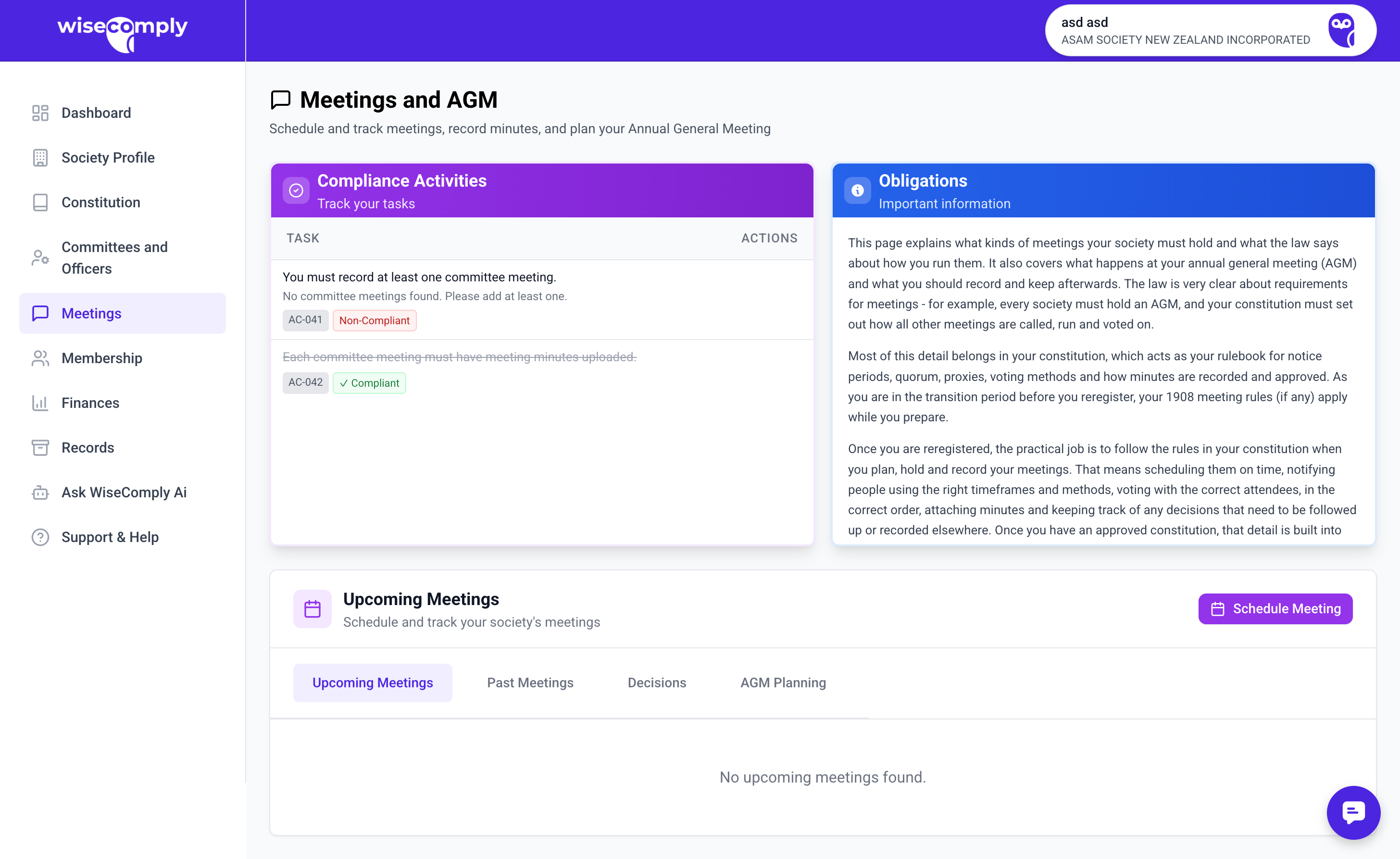
AGM Planning
The AGM Planning tab (shown by default) displays a compliance table tracking your Annual General Meeting requirements. It shows which AGMs are due, overdue, or completed.
AGM frequency: Check your constitution for specific requirements. The AGM must generally be held within the timeframe specified in your constitution, typically within 6 months of financial year end.
Scheduling a Meeting
1. Click “Schedule Meeting” to open the inline form
2. Fill in the details:
– Meeting name (required)
– Meeting type: Committee Meeting, Annual General Meeting (AGM), Special General Meeting (SGM), or Other
– Date (required)
– Start time and End time — select from 15-minute interval dropdowns (6:00 AM to 10:00 PM)
– Location (optional)
– Notes (optional)
3. Click “Create Meeting” — you will be taken to the Meeting Detail page
Note: An AGM is the regular annual meeting. An SGM is called for specific urgent matters outside the annual cycle.
Meeting Workflow
Each meeting has a 3-phase workflow:
Phase 1: Prepare
• Set meeting details (date, time, location)
• Create an agenda with discussion items
• Add attendees (members and guests)
• Upload supporting documents
Phase 2: Conduct
• Track attendance during the meeting
• Record resolutions (formal decisions)
• Take meeting minutes
Phase 3: Follow-Up
• Finalise and share minutes
• Archive the meeting
The workflow tab shows a checklist with visual indicators for each completed task.
Agenda Builder
For each meeting you schedule, you can build your meeting agenda item by item:
1. Click “Add Item” on the Agenda tab
2. Enter the item title, type (Standard, Report, Discussion, Resolution, Election, Other), presenter, and time allocation
3. Save the item
Helpful features:
• Drag and drop items to reorder them
• Apply a template to pre-fill a standard agenda (AGM, SGM, Committee, or Board meeting templates)
• Edit or delete individual items at any time
• Total estimated duration is calculated automatically from your time allocations
For reregistration AGMs/SGMs, your agenda must include: approve reregistration, approve constitution, confirm officers, and appoint contact persons (1–3).
Attendance Tracking
Record who attended the meeting using the Attendance tab. You have two modes:
Individual Attendees mode:
• Add members from your member register
• Add guests and observers
• Set each person’s status: Present, Apology, Proxy, or Absent
• A quorum indicator shows whether you have enough attendees
Summary Numbers mode:
• Enter aggregate counts (Present, Apologies, Proxies, Absent)
• Useful when you do not need individual-level tracking
9.6 Minutes
Record your meeting minutes on the Minutes tab:
1. Type your minutes in the text editor
2. Click “Save” to store them
3. Optionally click “Generate from Agenda” to auto-create a template based on your agenda items, attendance, and resolutions
Minutes go through three statuses:
• Draft — still being edited
• Finalised — complete and ready to share
• Approved — formally approved by the meeting
Record-keeping requirement: Keep AGM and SGM minutes permanently. All other meeting minutes should be retained for at least 7 years as required by the Act.
Resolutions
For AGM's and SGM's you can record formal decisions on the Resolutions tab:
1. Click “Add Resolution”
2. Enter the title, description, and full text of the resolution
3. Select the type (Ordinary or Special)
4. Record who proposed and seconded the resolution
5. Enter vote results (for, against, abstentions)
6. Set the status: Draft, Passed, or Rejected
If a resolution requires filing (e.g., constitution changes), you can record the filing deadline.
Sharing Meetings
Use the Share tab to create secure, view-only links for members or stakeholders:
1. Click “Generate Link”
2. Choose what to share:
– Notice — agenda and supporting documents only
– Minutes — minutes and documents only
– Full Access — agenda, minutes, and all documents
3. Copy the link and share it via email or messaging
Recipients can view the information without needing a WiseComply account. Each link:
• Expires after 90 days
• Can be revoked at any time
• Shows a view count so you know how many people have accessed it
Common Questions
How often do we need to hold committee meetings? This is specified in the society's constitution. Common practice is monthly or bi-monthly, but check your constitution for specific requirements.
What must be included in meeting minutes? Minutes should include the date, attendees, apologies, agenda items discussed, decisions made (including voting results), and action items assigned.
Can we hold meetings online? Yes, if the society's constitution allows it. Many modern constitutions permit virtual or hybrid meetings.
What's the difference between an AGM and an SGM? An AGM is the regular annual meeting all members can attend, covering standard business like financial reports and officer elections. An SGM is called for specific purposes outside the annual cycle, usually for urgent or special matters.
Do we need to upload minutes for every meeting? For compliance purposes, yes. The Act requires societies to keep minutes of all general meetings. Committee meeting minutes are also strongly recommended and often required by constitutions.
How long should we keep meeting records? Meeting records should be kept for at least 7 years as required by the Act. AGM and SGM minutes should be kept permanently.