
Your Society Dashboard
What This Page Does
After you’ve completed the Setup Wizard, or when you log into Wisecomply after setting up your society, you’ll arrive at the Dashboard screen.
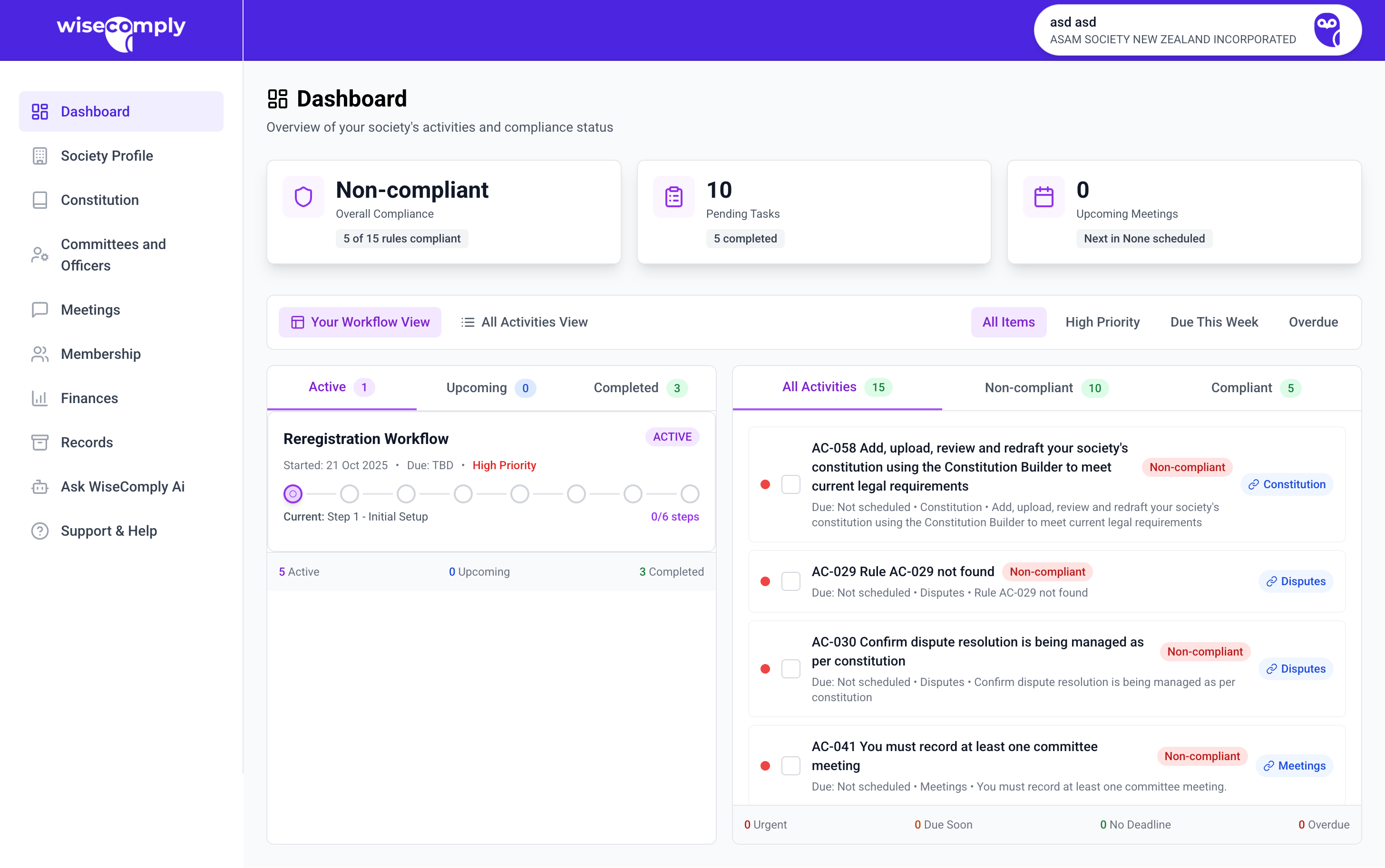
The Dashboard is your home base in WiseComply. It shows your society's compliance status at a glance and displays the tasks that need attention.
Key Features
Status Overview (Top Cards)
Overall compliance status
Days until AGM and re-registration deadline
Current member count
Number of pending tasks
View Options Switch between three ways to see your work:
Split View: Workflows + task list side-by-side (recommended for most users)
List View: Simple to-do list format
Filter Buttons Focus on what matters:
All Items: Everything
High Priority: Urgent tasks only
Due This Week: Tasks due in next 7 days
Overdue: Past-due items
What You Can Do
View active workflows and their progress
See all pending tasks with due dates and priorities
Check which tasks are urgent, due soon, or overdue
Click into workflows or tasks to start working
Use "Bundle & Submit" when multiple similar notifications are ready
Getting Started
First time here?
Click the "High Priority" filter to see what's most urgent
Open your first active workflow (usually Re-registration)
Click the current step to begin
Regular check-ins:
Use "Due This Week" every Monday to plan your workload
Watch countdown timers for critical deadlines
Complete workflow tasks in the order shown
Common Questions
Why am I not compliant yet? All required activities must be complete. One missing item means the society hasn't met all legal obligations.
What's the difference between workflows and standalone tasks? Workflows are major processes (like Re-registration) with multiple steps in sequence. Standalone tasks are one-off items that can be done anytime.
Next: Click into a workflow or task to begin working through your compliance requirements.